API Guide: Version 2
What can GeoDirectory API do?
- Retrieve a list of addresses as 'suggested matches', that correspond to the user entered address or Eircode.
- Retrieve additional address details for a previously established GeoDirectory address, such as Eircode or latitude and longitude.
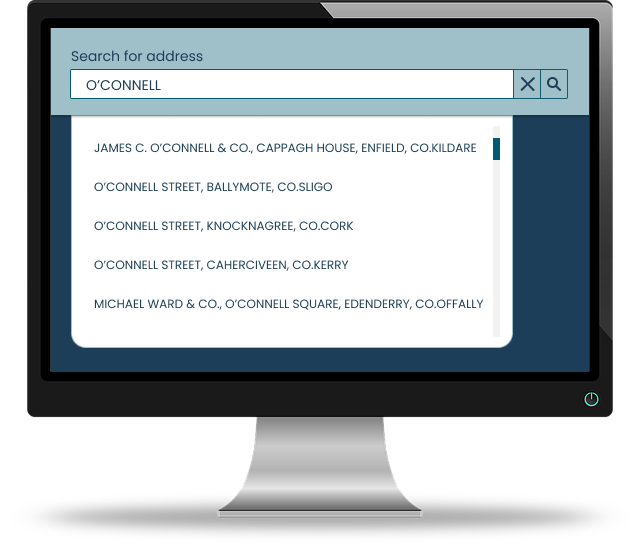
A basic implementation of the GeoDirectory API would be a user input, e.g. a search, for entering a partial address and initiating a search, which would result in a list of suggestions to be displayed to the user, from which they could then select an address that met their requirement.
Depending on the implementation, the calls would be initiated repeatedly as the user types, or wait for the user to confirm their input.
Endpoints
Search Address
Use this endpoint to get a list of simplified address suggestions based on user input.
Address suggestions return the identification number of the address, which can be used to get the full address details using the search-identification endpoint.

Search Identification
Use this endpoint to get detailed address information using a GeoDirectory identification number.
In addition to default returns, once you have your token you can configure it to return a number of additional fields, such as business codes, coordinates, various building details, and more.


Authentication Token
To access the GeoDirectory API, you will need an authentication token. This token must be included in the Authorization header of all API requests.
Request Format

Getting Your Token
If you wish to give the GeoDirectory API a try, please register and contact us at info@geodirectory.ie . We will provide you with a token so you can access the address data and trial the API at a limited rate.
If you already have an account with active tokens, check your assigned tokens here.
Request Examples


Implementation Example
Try out our API in a basic .html example.
This is a simple bare-bones implementation aimed at quickly demonstrating how our API can be used: a playground for you to test it out.
- Acquire our API token
- Download our basic code snippet here
- Follow the guide:
Drag and drop the .html file to your browser where it should open in a new tab.
Enter the base url from this page, e.g. https://www.geoaddress-checked.ie/api/v2/ and your API key into their respective inputs. Make sure your key version and url version match.
Start typing into the main input: a dropdown should now display a list of suggestions. Clicking on an address will retrieve more details about the selected address, which will then be displayed on the screen.